
AI Product Video Generator for Ecommerce
Start with one product photo or existing footage and a short brief. Make studio-style showcases and close-ups for listings, unboxings and product demos, lifestyle clips, launch teasers, and ecommerce ads for your store or social media. Plan the shots, then preview, refine, and download your video in the same chat.
Product video examples
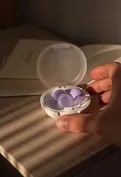
睡眠耳塞商品展示视频|紫色耳塞与收纳盒细节
 E-commerce Video Creator
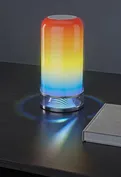
氛围台灯场景视频|桌面彩光与灯体细节
E-commerce Video Creator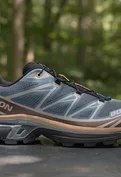
越野风运动鞋商品展示视频|灰棕配色与鞋底细节
E-commerce Video Creator
绒毛腰包场景视频|通勤斜挎与触感细节
E-commerce Video Creator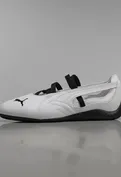
芭蕾运动鞋商品展示视频|黑白轮廓与鞋面细节
E-commerce Video Creator
蘑菇灯场景视频|床头柔光与金属质感
E-commerce Video Creator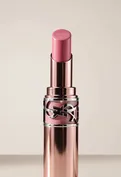
润唇膏商品展示视频|膏体质感与金属管身
E-commerce Video Creator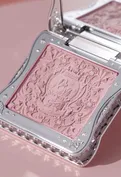
腮红商品展示视频|粉面浮雕与镜框细节
E-commerce Video Creator
游戏主机场景视频|客厅手持与手柄细节
E-commerce Video Creator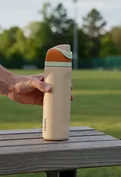
拼色水壶场景视频|户外拿放与杯盖细节
E-commerce Video Creator
花生毛绒包挂场景视频|通勤佩挂与绒毛细节
E-commerce Video Creator
积木兰花商品展示视频|窗边陈列与花瓣细节
E-commerce Video Creator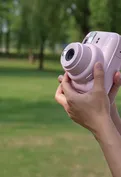
拍立得场景视频|周末出游与手持展示
E-commerce Video Creator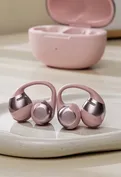
耳夹耳机商品展示视频|粉色耳机与充电盒细节
E-commerce Video Creator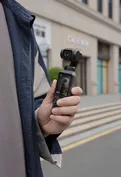
口袋相机商品展示视频|城市手持与镜头细节
E-commerce Video Creator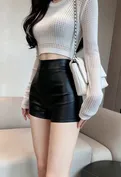
黑色皮短裤|上身版型与皮面光泽
E-commerce Video Creator
磨砂花瓣杯|果汁与下午茶
E-commerce Video Creator
金色杯架套装|浮雕玻璃杯取放
E-commerce Video Creator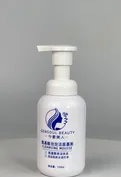
今素美人洁面慕斯|瓶身与出泡展示
E-commerce Video Creator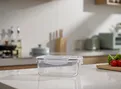
开盖装鲜再叠放|京东密封保鲜盒实演
E-commerce Video Creator
一次推过即洁净|京东无线吸尘器演示
E-commerce Video Creator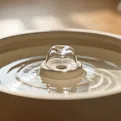
流动鲜水更爱喝|天猫宠物饮水机实演
E-commerce Video Creator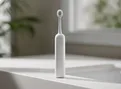
水珠见证高频振动|天猫电动牙刷演示
E-commerce Video Creator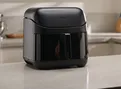
看得见的酥脆|京东可视空气炸锅演示
E-commerce Video Creator

 Create similar


Create product showcases, demos, and ads

Turn static product photos into video showcases
Start with one clear photo or add other angles and existing footage. Use studio-style wide shots, close-ups, push-ins, and orbit shots to show the shape, finish, and packaging in a product listing video. With matching references, you can also compare colors, sizes, and styles.

Show shoppers how your product works
Add real footage or references for steps such as opening, assembling, or pouring. Sequence the shots to show the workflow and give shoppers a clear view of the features in use.

Put your products in everyday settings
Describe where and how shoppers use the product. Create lifestyle clips for outfits, home, or outdoors, or use your own unboxing footage or voiceover script to make a first-person video.

Make launch videos and ecommerce ads
For launches, promotions, and social ads, describe the audience, opening hook, key selling point, and call to action. Plan clips for your store, TikTok, Instagram Reels, or YouTube Shorts.

Go from a brief to a script and shot plan
Tell AI why you need the video, what to feature, and which details must stay accurate. Review the script and shot order, then confirm which product, action, and footage to use in each shot.

Create versions for different formats and languages
Plan a vertical social clip, a landscape listing video, or a local-language version for another market. Specify the length, captions, voiceover, and music for each version, then confirm what to produce. Try different openings or selling points for the same product.

Combine existing footage and refine the cut in chat
Mix real footage with new shots, or explain which parts of an existing video to keep, change, or extend. Play the result, request changes by shot or time range, then download the version you approve.

Make your own version of a product video example
Play a case video to see how it uses shots and settings. Choose Create similar, then add your own product photos, selling points, and requirements to start in the same style.
How to create a product video
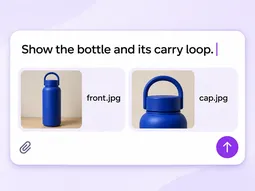
Upload product assets and describe the goal
Add clear product photos or existing footage and describe the product, key selling point, and intended placement. Include other angles, close-ups, or footage of the product in use where needed.
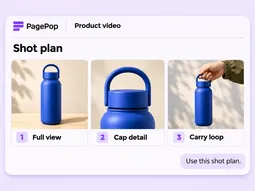
Confirm the script and shots, then generate
Review what each shot shows and in what order. Confirm the aspect ratio, length, and any captions, voiceover, or music requirements before generating the video.
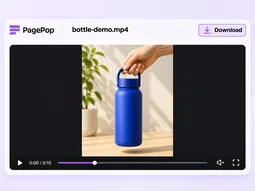
Play the video, refine shots, and download
Watch the full video in your workspace and check it against your references. Request changes by shot or time range in the same chat and download the final version.


Before you get started
Can I start with a single product photo?
Yes. Start with a clear photo and describe what you want shoppers to see. Add more views if the shots need the sides, back, or small parts. You can also provide footage to show the product in use.
What should I include in a product video brief?
Name the product, target shoppers, main selling point, intended use, and shots or actions to show. For a listing, focus on appearance and use. For an ad or launch, add the opening message and what you want viewers to do next.
How can I keep the product closer to my reference photos?
Provide clear photos of the correct product version and identify the color, labels, materials, and parts that matter. Review the full video against those references for changes in shape, text, or components. Add photos or footage when exact details or actions matter.
Can I request a specific aspect ratio, duration, or resolution?
Include where you will use the video and the aspect ratio, duration, and resolution you want. Available specifications depend on your current account and the task. Confirm them before generation and check the delivered file.
How can I revise the generated video?
Continue in the same chat and identify the shot or time range to change and what to preserve. Some changes require new shots or regeneration. Confirm the scope and credits needed for additional production.
Where can I preview and download my product video?
Open the finished video in your workspace to preview and download it. Before posting, check the product, packaging text, actions, and selling points, and make sure you have selected the final version you want.
Can I try it for free?
Yes. PagePop offers a free trial experience and gives new users credits when they sign up. Generating product videos uses your available credits. See the pricing page for current allowances and membership benefits.
Where can I make product listing photos and other still images?
This page creates playable product videos. Use the AI ecommerce design tool for product listing photos, white-background images, and other still product visuals.
Explore more AI tools
- AI ecommerce design
- AI posters
- AI flyers
- AI PPT
- Instagram posts
- YouTube thumbnails
- AI short dramas
- AI interior design

Show shoppers what your product can do
Add product photos or existing footage, choose one selling point, and start creating your video.