Free AI Flyer Generator for Professional, Eye-Catching Flyers
Start with an idea, text, or your own files. Let AI create the headlines, promotional copy, images, and layout—no design experience needed. Add your photos, logo, and brand colors, explore a different style, or upload an existing flyer to edit. Create versions in different sizes and languages, then download high-resolution images for digital sharing or print preparation.
Explore designs and spark new ideas
Browse a wide range of real examples and explore different subjects, styles, colors, and layouts. Skip the blank canvas: find a design you like and make your own version with your own content.
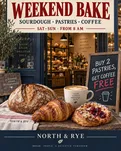
Neighborhood Bakery Offers
 Poster Designer
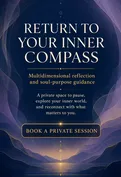
Inner Compass Spiritual Guidance Flyer
Poster Designer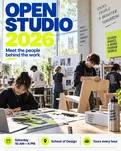
Open Studio Weekend
Poster Designer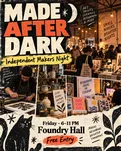
Makers Night
Poster Designer
The Seventh Code — cyber-thriller poster concept
Poster Designer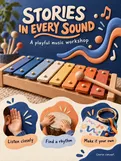
Stories in Every Sound | Concept Design
Poster Designer
社区市集活动
Poster Designer
Flyer del Programa Vacacional Infantil CLUB NUBE
Poster Designer
社区烘焙门店促销
Poster Designer
炭火焼鳥店の新装開店ポスター
Poster Designer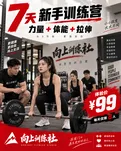
健身体验课招募
Poster Designer
宠物护理预约活动
Poster Designer
讓聲音,擁有顏色|復古桌面音箱商業海報
Poster Designer
把光留在日常|器物展海報概念
Poster Designer
비가 그친 뒤|가상 영화 포스터 디자인 예시
Poster Designer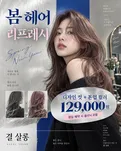
헤어 살롱 프로모션
Poster Designer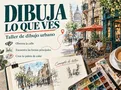
Dibuja lo que ves
Poster Designer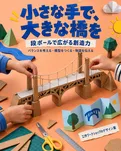
小さな手で、大きな橋を
Poster Designer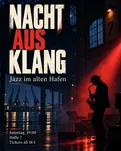
Jazz am Hafen
Poster Designer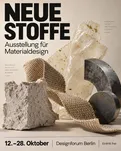
Material und Form – Ausstellung
Poster Designer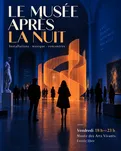
La Nuit du Musée
Poster Designer
L’automne au bout des doigts
Poster Designer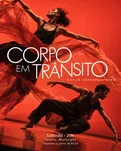
Dança Contemporânea
Poster Designer
Festival de Cinema
Poster Designer

 Create similar


Create your own flyer with AI copy, design, and editing

Turn an idea into a professional flyer with AI copy and layout
Start with a short description, a few key details, or a file. Let AI draft headlines, promotional copy, and calls to action, shorten or rewrite existing text, and bring together images, typography, and layout. Use a clear information hierarchy to highlight your offer, dates, prices, address, and contact details. No design experience or blank canvas required.

Customize with your photos, logo, and brand colors
Upload photos of your products, store, venue, or people, add a logo, and describe your brand colors, typography, and preferred style. Create promotional visuals that use your own assets and reflect your brand.

Find inspiration in real examples and explore your own style
Browse real examples, choose a design you like, and make your own version with your content. Or upload a reference and describe its colors, photography or illustration style, typography, and layout. From minimal and vintage to bold and vibrant, explore different directions, refine them, or request more versions for your subject and audience.


Refine in chat or mark the exact place you want to change
Upload an existing flyer or keep working on a newly generated design. In the same chat, replace headlines, dates, prices, images, or backgrounds, or adjust typography and layout. You can also open the image preview, click a specific location, and add a revision note to send that location and the original image back to chat. Say what to keep, review the new version, and keep refining.

Adapt one idea to different sizes and channels
Specify a printed handout, square post, vertical story, or landscape display. Let AI adapt the aspect ratio, expand the image, and reorganize the information. Create suitable versions for each channel while keeping headlines, images, and essential details in view, rather than losing content through stretching or cropping.

Create multilingual flyers for more audiences
Specify your target language and let AI draft the copy or translate the text in an existing flyer. Use the same theme, colors, and visual direction across language versions, then review each translation and layout before sharing with different audiences.

Extend one theme into a series of flyer versions
Create versions for different dates, locations, stores, audiences, or messages. You can also design the front and back separately. Carry the same theme and brand direction through each version while updating the details, turning one idea into a set of promotional materials.

Download high-resolution images for digital and print use
Preview and proofread your flyer, then download the image for social media, websites, group chats, or printed promotion. Choose the resolution you need; membership plans support up to 4K, watermark-free downloads, and commercial-use benefits. Confirm the finished dimensions and printer requirements before printing.
How to make a flyer with AI
Describe your idea and add materials
Tell AI your flyer’s purpose, audience, essential details, and preferred style. Start with text alone, or add photos, a logo, reference images, or an existing flyer.
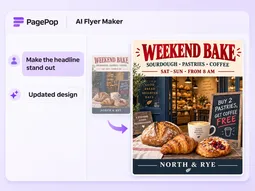
Generate, preview, and refine
Let AI create the copy and design, then describe any changes after reviewing the preview. Mark a location on the image when needed, refine the text, images, background, or layout, and review the next version.
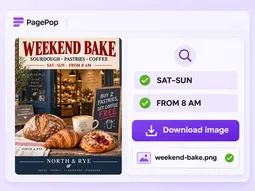
Check key details and download
Check the headline, dates, prices, address, and contact details before downloading. View the flyer on your phone before sharing online. Before printing copies, make a test print at the intended size and check clarity and QR-code scanning.


Flyer maker FAQ
What is an AI flyer maker?
An AI flyer maker uses text descriptions, photos, and other materials to help organize headlines, promotional copy, images, and layouts into a flyer design. You can request further revisions, proofread the result, and download it for use.
Do I need finished copy or images before I start?
No. Describe your purpose, audience, and essential information. AI can help draft headlines, promotional copy, and calls to action, and create the visual content. If you have copy, photos, a logo, a reference image, or a brief, include them to guide the design.
Can I use my own photos, logo, and brand colors?
Yes. Choose “Add material” to enter chat and upload your assets. Explain how to use the photos and logo, your brand colors, and the style you want. Check the result against your brand and asset requirements, and clearly identify anything that needs to be preserved accurately.
Can I edit an existing flyer or keep changing a generated design?
Yes. Upload an existing flyer or continue in the same chat to replace headlines, dates, prices, images, or backgrounds and adjust typography and layout. In the image preview, you can also mark a specific location and add a revision note. Review the new version against your requirements.
Can I use a reference or explore different styles?
Yes. Upload a reference and describe the colors, typography, image style, or layout you like, or explain your visual direction in words. AI will continue designing around your subject and content. For multiple directions, specify how many versions you need and what should differ in each.
Can I create flyers in different languages?
Yes. Specify the language for the text in your flyer, or request a translation of an existing design. Supply names, brand names, and special terms that must stay unchanged. Check translations, line breaks, numbers, and contact details in each version; language versions can follow the same visual direction.
Can I make versions for different dates, locations, or stores?
Yes. Specify the number of versions, what they should share, and the dates, locations, offers, or other differences in each. AI can continue creating a series from those details. Check every version’s information; generation uses your available account credits.
Can I create a double-sided flyer?
You can request the content and design for the front and back separately, specifying the shared theme, colors, and brand details. Review and download each side, then confirm alignment, orientation, and final file requirements with your print shop.
Can I make A4, A5, Letter, or social-media flyers?
Specify the paper size, channel, orientation, and target aspect ratio in your request. A4 can suit more content; A5 is convenient for handouts. Square, portrait, and landscape versions suit different digital placements. Check image pixels separately from physical print dimensions, and review the text and important content when adapting the layout.
Can I download high-resolution images? Do free images have a watermark?
Yes, you can download images. Current resolution benefits depend on your plan: Free supports 1K, Entry supports 2K, and Standard and Pro support up to 4K. Free images have a watermark; membership plans offer watermark-free downloads. Check the pricing page and your account for your current benefits.
Do I get an image or an editable file? Can I print it directly?
The common result from this page is a downloadable flyer image. Continue requesting copy and visual changes in chat. If you need an editable source, vector artwork, or PDF, specify and confirm the production and delivery format. An image download is not automatically a print-ready PDF. Confirm size, resolution, bleed, and color requirements with your print shop and make a proof first.
Can I add a QR code?
Supply a verified QR-code image and explain its purpose and placement. Scan the final generated image to check the destination. If you are printing the flyer, scan a test print too, to confirm it works at the intended size.
Can I try it for free?
Yes. PagePop offers a free trial experience and gives new users credits when they sign up. Generating flyer images uses your available credits. See the pricing page for current allowances and membership benefits. PagePop pricing and credits
Explore more AI tools
- AI ecommerce design
- AI posters
- AI PPT
- Instagram posts
- YouTube thumbnails
- AI short dramas
- AI product videos
- AI interior design
Turn your idea into a professional, eye-catching flyer
Start with text, photos, or an existing design. Let AI help write the copy, create the design, and refine it. Customize the style, make the sizes and language versions you need, then proofread and download.