AI poster generator: Turn ideas into professional posters
Turn ideas, event details, or promotional content into professional posters with no design experience. Enter your text and upload a logo, photos, or references. Let AI arrange the main visual, headline, and key information around your preferred style, colors, and format. Refine the preview through chat or image annotations, then save the poster you like. Start with your ideas for events, product launches, brand and store promotions, courses, talks, educational topics, causes, or social media covers. For different language versions, specify the language and copy, then create and check each poster.
AI poster design examples
Browse real event, brand, educational, artistic, and other posters made by the poster designer. Compare styles, formats, and languages to find a direction for your own design.
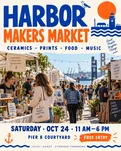
Community Market
 Poster Designer
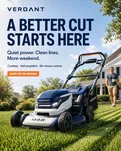
VERDANT M48 Cordless Lawn Mower Poster
Poster Designer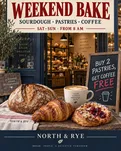
Neighborhood Bakery Offers
Poster Designer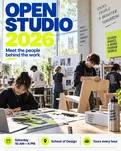
Open Studio Weekend
Poster Designer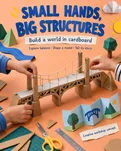
Small Hands Big Structures | Concept Design
Poster Designer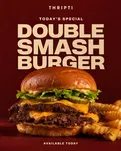
THRIPTI Double Smash Burger Poster
Poster Designer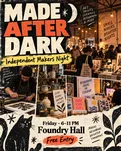
Makers Night
Poster Designer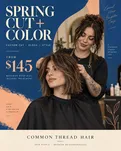
Hair Salon Styling Offer
Poster Designer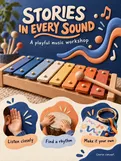
Stories in Every Sound | Concept Design
Poster Designer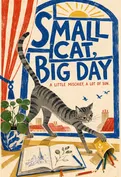
Small Cat Illustrated Art Poster
Poster Designer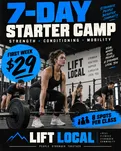
Fitness Trial Session
Poster Designer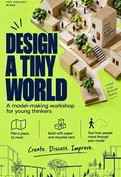
Design a Tiny World | Concept Design
Poster Designer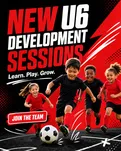
U6 Youth Football Development Poster
Poster Designer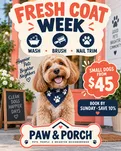
Pet Grooming Appointments
Poster Designer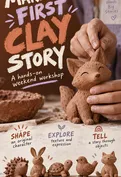
Make Your First Clay Story | Concept Design
Poster Designer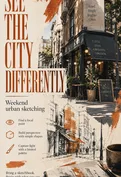
See the City Differently | Concept Design
Poster Designer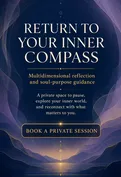
Inner Compass Spiritual Guidance Flyer
Poster Designer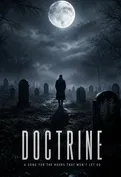
Moonlit Graveyard Movie Poster
Poster Designer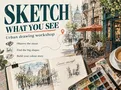
Sketch What You See | Concept Design
Poster Designer
The Seventh Code — cyber-thriller poster concept
Poster Designer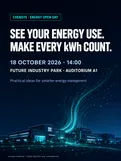
CHENGYE energy open day — promotional poster concept
 Graphic Designer
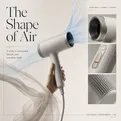
The Shape of Air | Hair Dryer Editorial
 E-commerce Graphic Designer
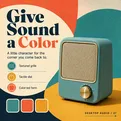
Give Sound a Color | Retro Desktop Speaker
E-commerce Graphic Designer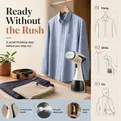
Ready Without the Rush | Garment Steamer
E-commerce Graphic Designer

 Create similar


 Create similar

 Create similar


Create and refine posters with AI, from idea to finished image

Turn text into a complete poster design
Start with an idea, event details, or existing copy, and describe the topic, audience, and message. AI arranges the main visual, headline, key information, and layout into a complete poster with text and visuals. Give events, brands, educational topics, or causes a clear visual expression without learning professional layout tools.

Add your own images, logo, and brand elements
Upload product photos, portraits, a logo, or reference images. Explain which should appear in the poster and which are only style references. Combine your brand colors, visual theme, and message to create a poster that fits your event or brand.

Find information and references when you need them
When you need more event information or a visual direction, share relevant web pages or ask AI to search the web for information and references as needed. Turn the information and visual references you choose into content for your poster.


Express your ideas in a style you like
Describe a minimalist, retro, illustrated, photographic, collage, cinematic, hand-drawn, watercolor, neon, or other visual direction. Add details about the colors, mood, main visual, and text treatment. You can request gradients, geometric shapes, or textures, or provide a reference image, so the design reflects the feeling you want to convey.


Adapt the format and composition for different channels
Explain whether the poster is for social media, an article cover, event promotion, or an offline display, and specify landscape, portrait, square, or other size requirements. To change the format, ask to extend the image, adjust the composition, and reposition information. Check the actual image specifications and content after generation.


Create posters in different languages
For audiences who use different languages, specify the poster language and provide the headline, body copy, and brand names to preserve. Create versions of the same theme one at a time, adapting the layout to each text length.

Preview, then refine through chat and annotations
After viewing the result, provide replacement copy or adjust colors, positions, layout, and visual focus. You can also request a new background, add or remove objects and decoration, or adjust lighting and color effects. Mark areas in the image preview and explain what to preserve. Keep refining in the same chat and save the image you choose.


Explore alternatives and create a coordinated poster series
Request different visual approaches to the same theme, or create a series for teasers, main announcements, or different channels. Describe the directions to explore, or agree on shared colors, assets, and a theme. Provide the copy and format for each poster, then review and choose versions.

Save poster images for publishing or printing
Save the image you want to use on your own promotional channels after editing. For print, confirm the actual pixel dimensions, clarity, and printer’s requirements before deciding whether to make further adjustments or export.
How to create a poster with AI
Describe your idea and upload assets
Explain the purpose, audience, headline, and information that must appear, along with the style and format you want. Upload a logo, photos, or references if you have them, and start creating from your idea.
Generate a complete poster and preview it
Review the main visual, overall style, and headline hierarchy, and check whether the key information is clear. Compare dates, locations, prices, and other details with your original copy, then decide what to change.
Keep refining and save your chosen image
In the same chat, describe replacement copy or changes to colors and layout. You can also mark a position in the image preview. Check the updated version and save the poster image you want to use.


Before you get started
What kinds of posters can I make with the AI poster generator?
You can create posters for events, product launches, brands and stores, recruitment, training and company announcements, courses, talks, educational topics, causes, films, concerts, festivals, home art, social media covers, and more. Enter the topic, audience, and copy, then add your preferred style, poster language, and publishing channel to get started.
Can I upload my own logo, photos, and references?
Yes. Upload a logo, product photos, or reference images, and explain which to include in the poster and which to use only for color and style inspiration. If you need a QR code, provide the actual QR image and check that it scans before use.
Can I make landscape, portrait, or square posters?
Include your preferred aspect ratio, platform, and dimensions in the request. Check the actual image specifications after generation to make sure they fit your intended use.
Can I change the poster text or layout after generation?
In the same chat, provide new copy or explain which colors, positions, or visual priorities to change. You can also mark an area in the image preview and ask AI to keep refining the poster.
Can I make a poster series for the same event?
You can request alternative designs or a series. Describe the visual directions you want to explore, or agree on shared colors, style, and assets, then provide the copy, purpose, and format for each poster. For different language versions, specify the language and text to preserve. Check the content and visual style of each result.
Can I save the poster image and use it for print?
Your poster is presented as an image, and you can save the version you choose. Check the text, prices, and QR codes before sharing. For print, first confirm that the actual pixel dimensions and clarity meet your printer’s requirements.
Can I try it for free?
Yes. PagePop offers a free trial experience and gives new users credits when they sign up. Generating posters uses your available credits. See the pricing page for current allowances and membership benefits. PagePop pricing and credits
Explore more AI tools
- AI ecommerce design
- AI flyers
- AI PPT
- Instagram posts
- YouTube thumbnails
- AI short dramas
- AI product videos
- AI interior design
Make your idea the next poster
Write what you want to communicate, add your own images and brand elements, and use AI to create a complete poster. Keep refining, then save and use your image.